Your first race
This walk-through takes about 5 minutes. You'll set up a women's 100 m final with eight athletes, run it, and get a results list in finishing order.
Races work a little differently from matches. Everyone competes at once, there are no fixtures, and there's one round instead of several matchdays. The five steps are the same, though:
1 Sport › 2 Signups › 3 Competition › 4 Groups › 5 Scorinate
If you haven't used xkoranate before, Your first event explains the basics in more detail.
Create the event
- Click + at the bottom of the sidebar.
- Type
Women's 100 m finaland press Enter.
Each round of a race is its own event. A full 100 m competition might have three events: heats, semi-finals and a final.
Step 1: pick the race
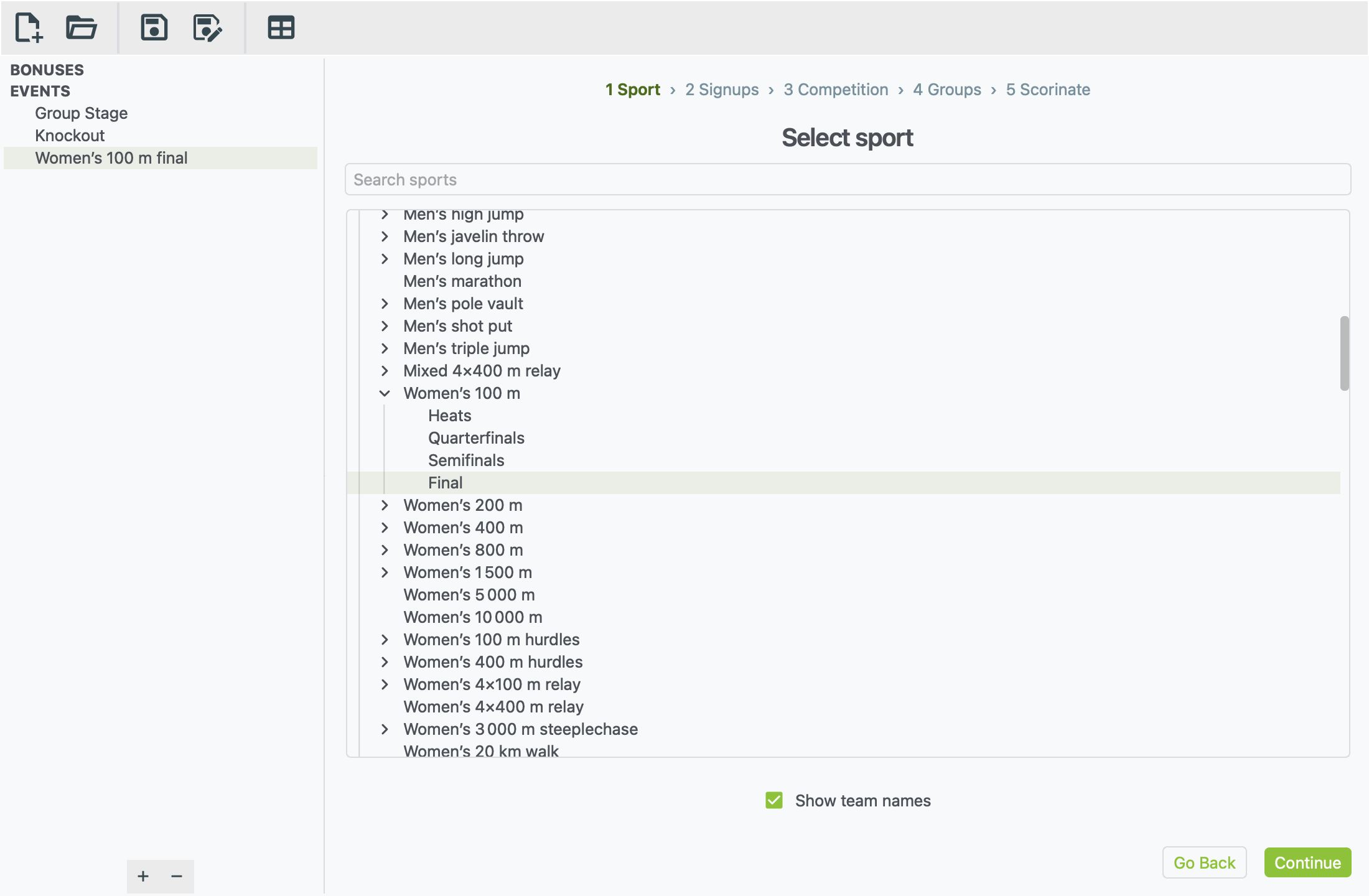
- In the list, click the arrow next to Athletics.
- Click the arrow next to Women's 100 m.
- Click Final.
You can also type 100 m in Search sports to find it faster.
Many races are split into rounds: Heats, Quarterfinals, Semifinals and Final. Pick the round you're running. Each round has its own range of times:
- The Final is a tight field, running from about 10.8 to 11.2 seconds.
- The Heats spread much wider, from about 11.1 to 14.8 seconds.
Leave Show team names ticked. It puts each athlete's team code after their name in the results.
Click Continue.
Step 2: add the athletes
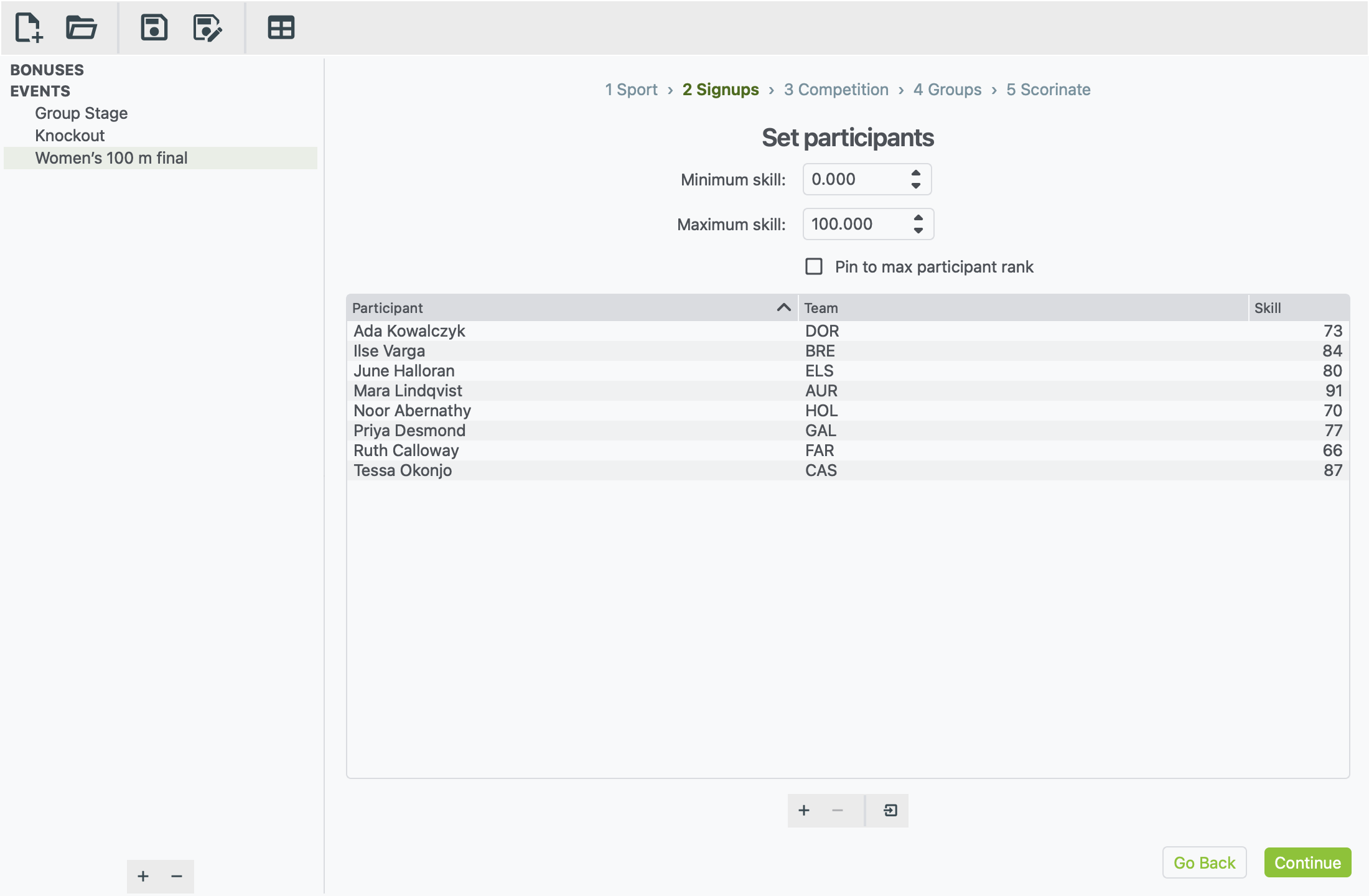
Add one row per athlete:
- Click + under the list.
- Double-click each cell to fill it in:
- Participant: the athlete's name, such as
Mara Lindqvist. - Team: their nation's code, such as
AUR. - Skill: how good they are, such as
91.
- Participant: the athlete's name, such as
- Repeat for the other seven athletes.
To bring in a list you already have, see Importing sign-ups from a file.
Minimum skill and Maximum skill. Unlike SQIS football, this race formula uses a range. Each athlete is judged by where their skill sits between the minimum and the maximum, so set these two boxes to the bottom and top of your ranking system. Here that's 0 and 100.
- An athlete at the maximum tends to run near the fast end of the round's times. In this final, that's about 10.8 seconds.
- An athlete near the minimum tends to run near the slow end, about 11.2.
There's always some luck, so the fastest athlete on paper doesn't always win.
Pin to max participant rank sets the maximum to your fastest athlete's skill automatically, so the best athlete in the field is treated as top level. Leave it unticked if your ranking system has a fixed top.
Click Continue.
Step 3: choose the format
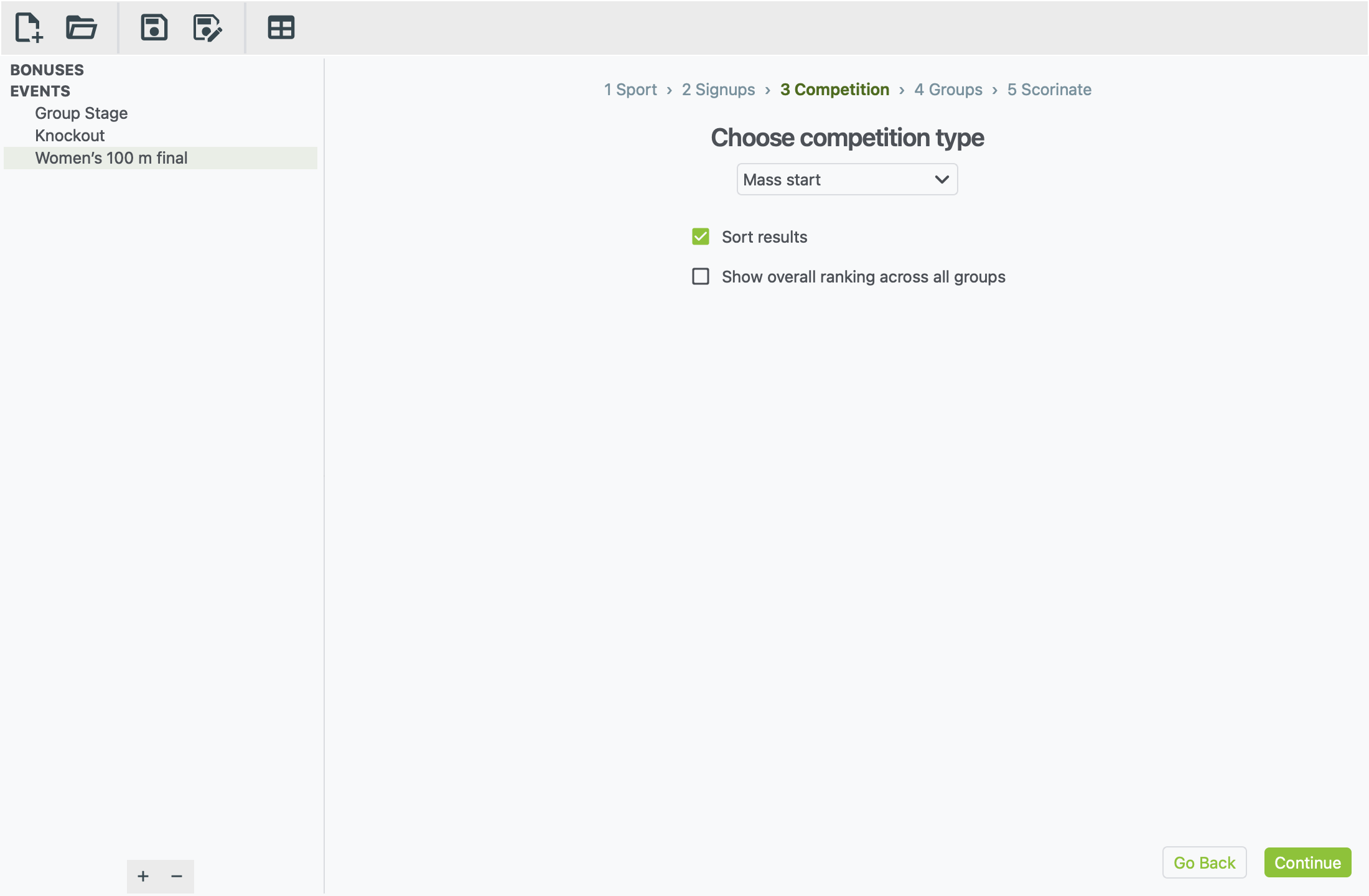
Mass start is already chosen. It means everyone races at once and is ranked by their time.
- Sort results lists the athletes in finishing order. Leave it ticked.
- Show overall ranking across all groups adds one combined list across every group. You only need this for heats, to see who was fastest overall. See Running heats below.
Click Continue.
Step 4: put everyone in the race
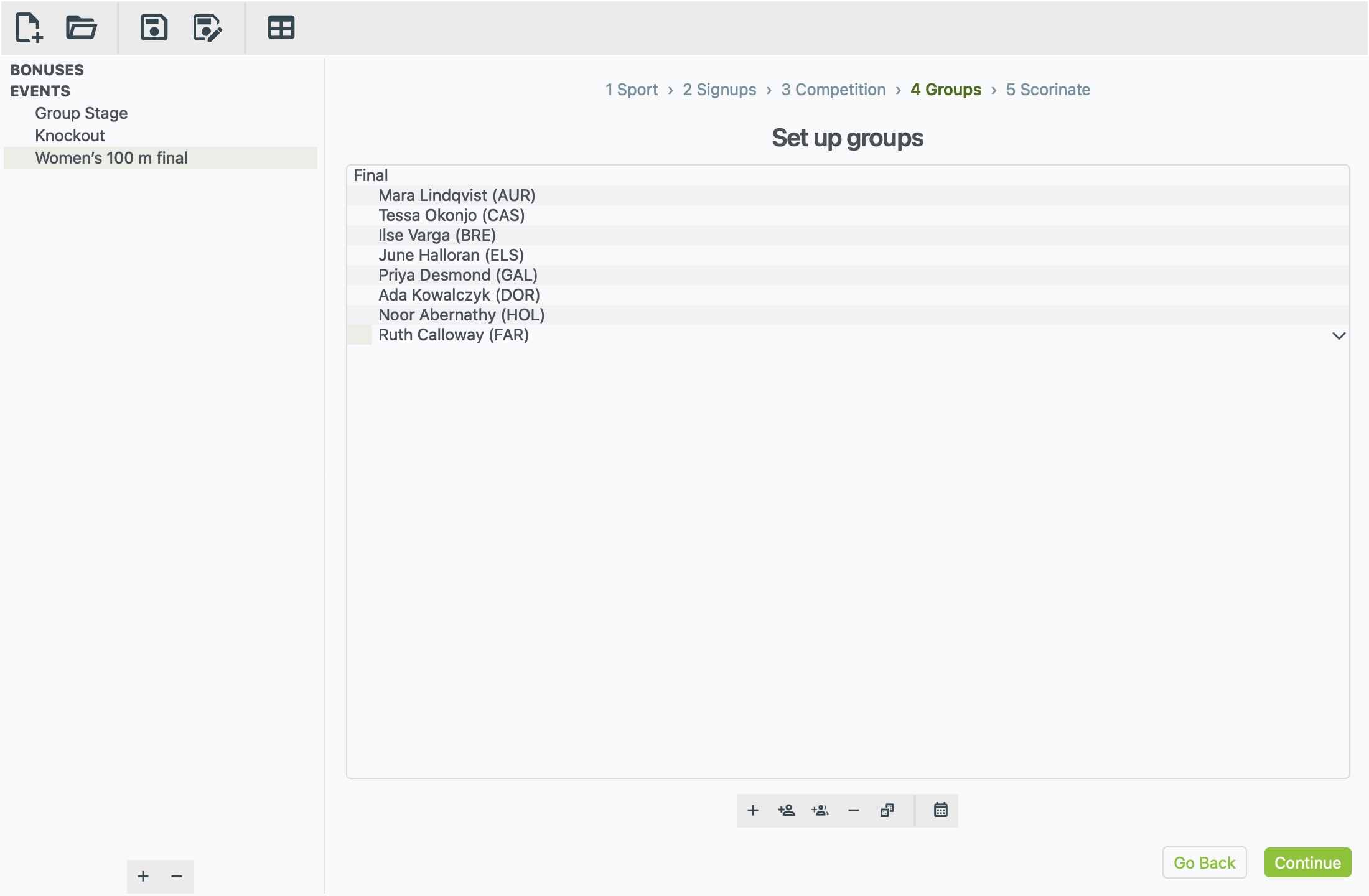
For a race, a group is one race: one heat, or one final.
- Click + in the toolbar under the list.
- Type
Finaland press Enter. - With the group selected, click Add all available participants (the two people with a plus sign).
The order of athletes in the group doesn't matter for a race.
Click Continue.
Step 5: run the race
- Click the dice button under the empty box (Scorinate event).
- The result appears: every athlete in finishing order, with their time.
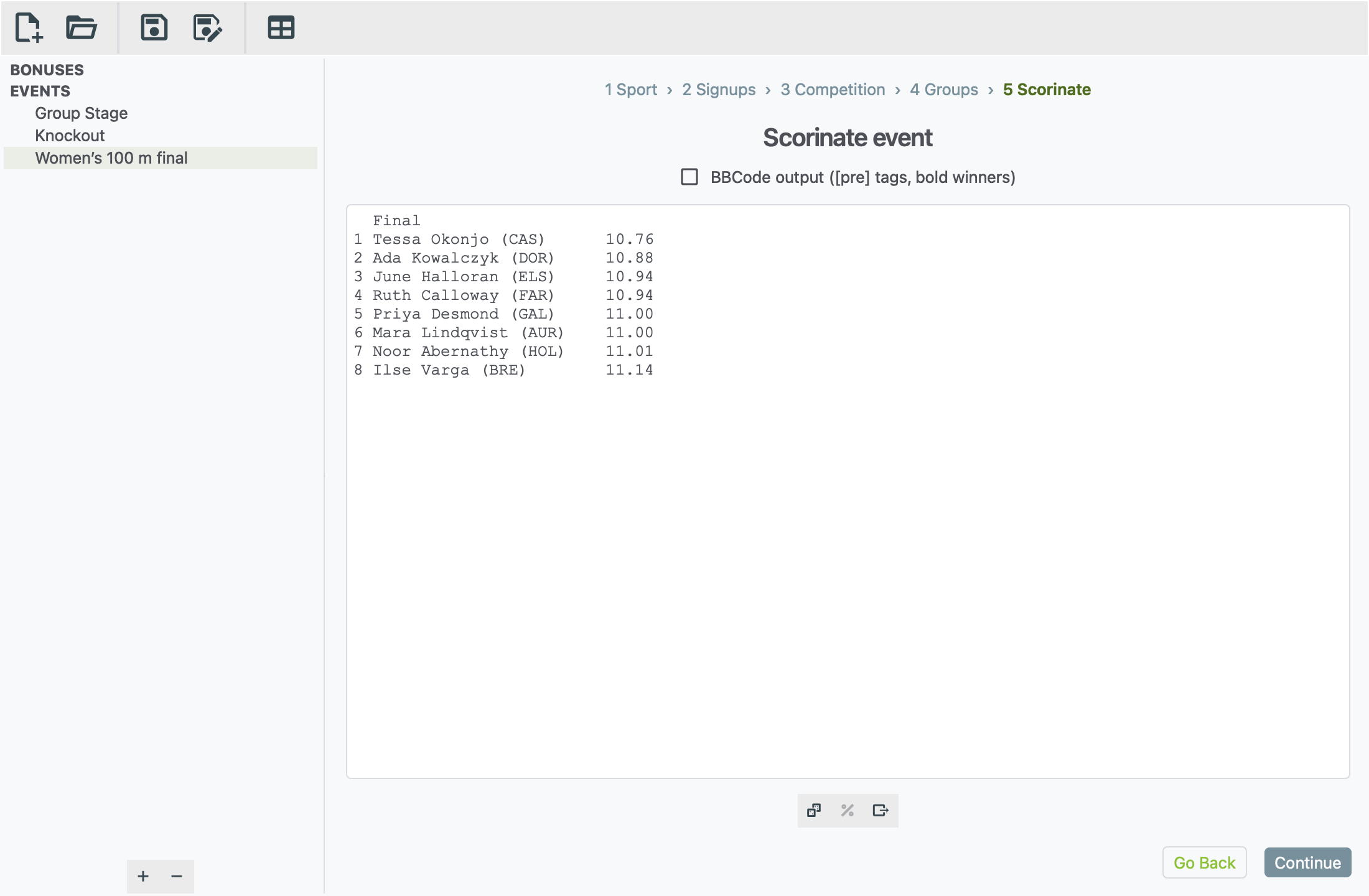
Some things work differently for a race:
- There's no round drop-down. The whole race is one round.
- Match odds aren't available. The % button is greyed out because there are no head-to-head matches.
- Sometimes an athlete doesn't finish. Like a real race, there's a small chance an athlete is disqualified or doesn't finish. They're shown as DQ or DNF instead of a time.
To post it, tick BBCode output, click in the results, then select all and copy (Ctrl A, Ctrl C, or ⌘ on a Mac). Or click Export to file to save it as a text file. Then save your xkoranate file.
Running heats
To run heats before a final:
- Make an event called
Women's 100 m heatsand pick Heats in step 1. - In step 3, tick Show overall ranking across all groups.
- In step 4, make one group per heat (
Heat 1,Heat 2, …) and put the athletes in them. To split the field evenly, add everyone to one heat and drag some into the others. - Scorinate. You get each heat's result, then one list of everyone ranked by time.
- Make the final as above, with the athletes who qualified.